The schedule your whole operation can trust.
Aircraft scheduling for flight schools, clubs, independents and maintenance shops. Book, dispatch, keep aircraft airworthy and close out every flight on one schedule.
30 days free. Cancel before day 31 and you are not charged.
Try the demo: a sample flight school, no sign-up.
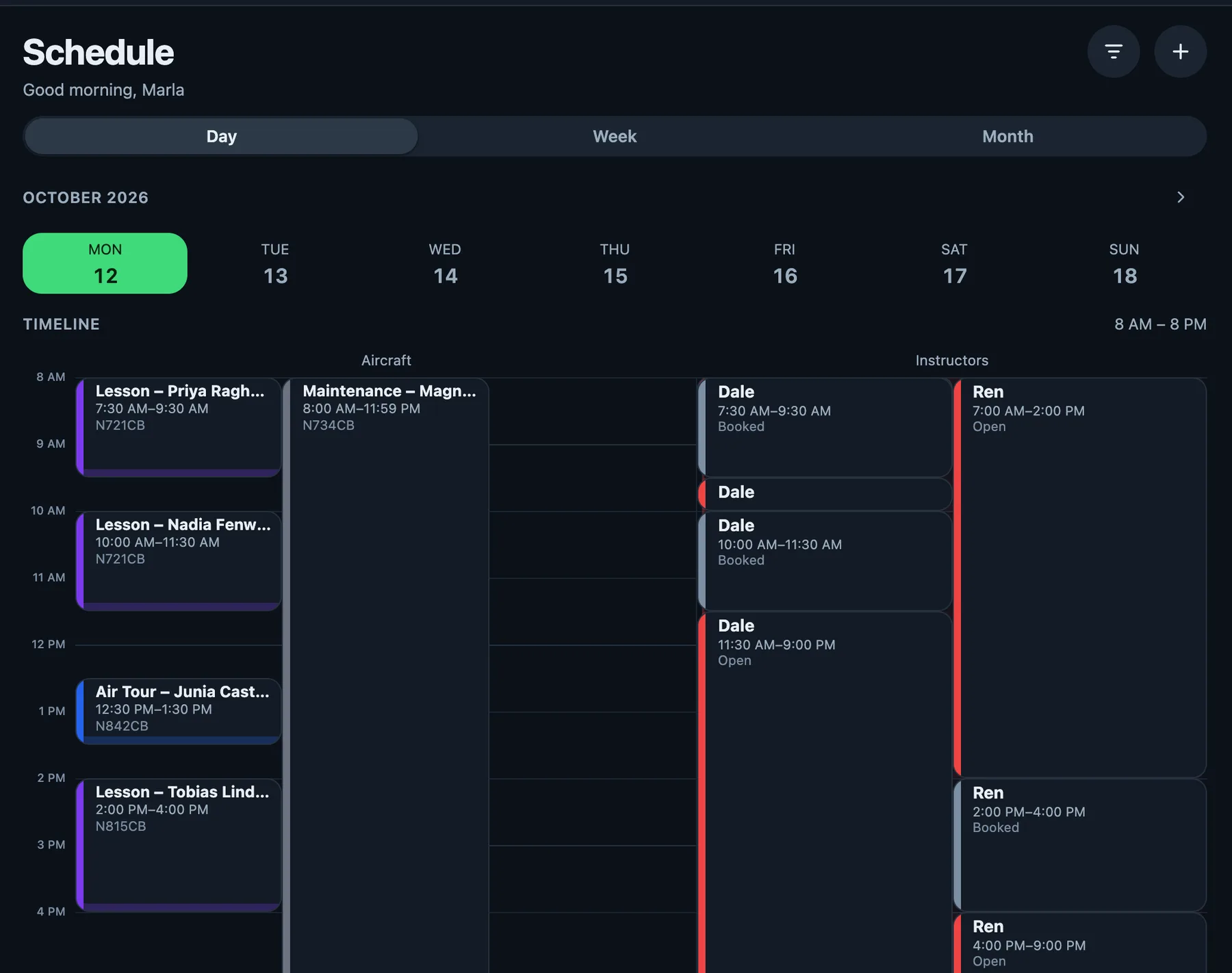
Book it once. Everyone sees it.
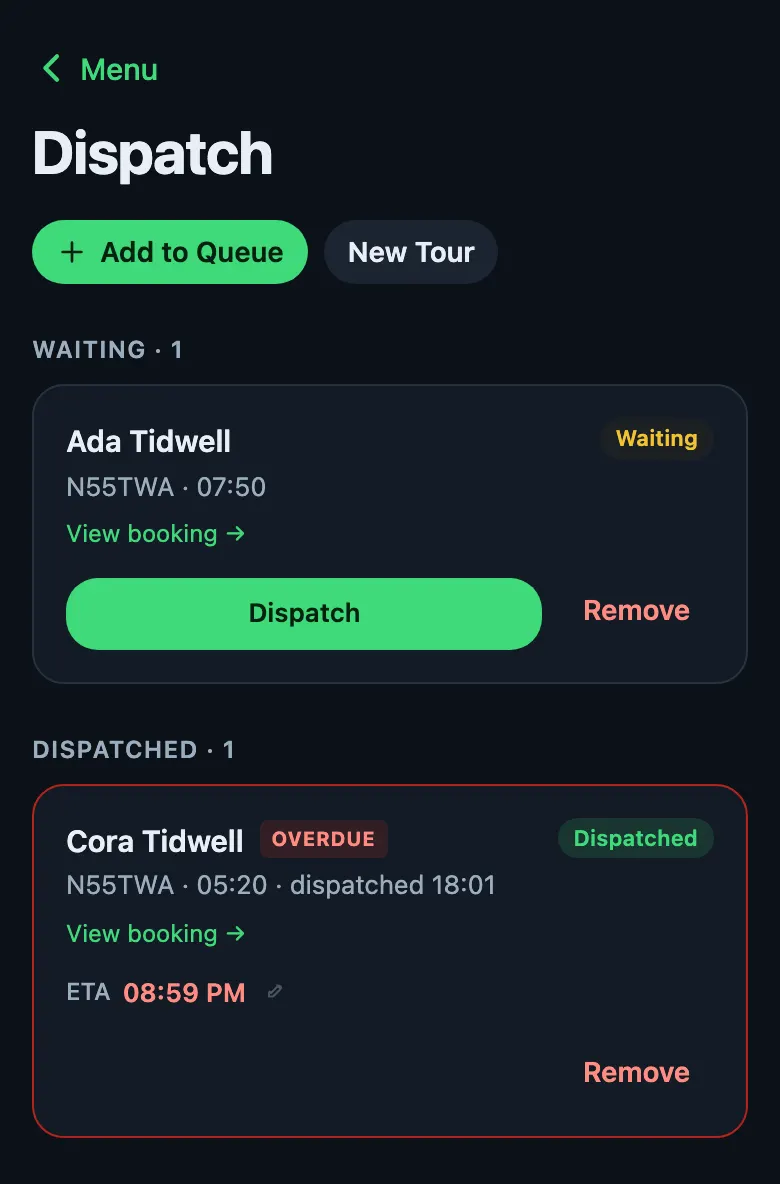
Conflicts are caught as you book. Recurring bookings and turnaround buffers are built in. Dispatch shows who is waiting, who is out, and which flight is overdue.
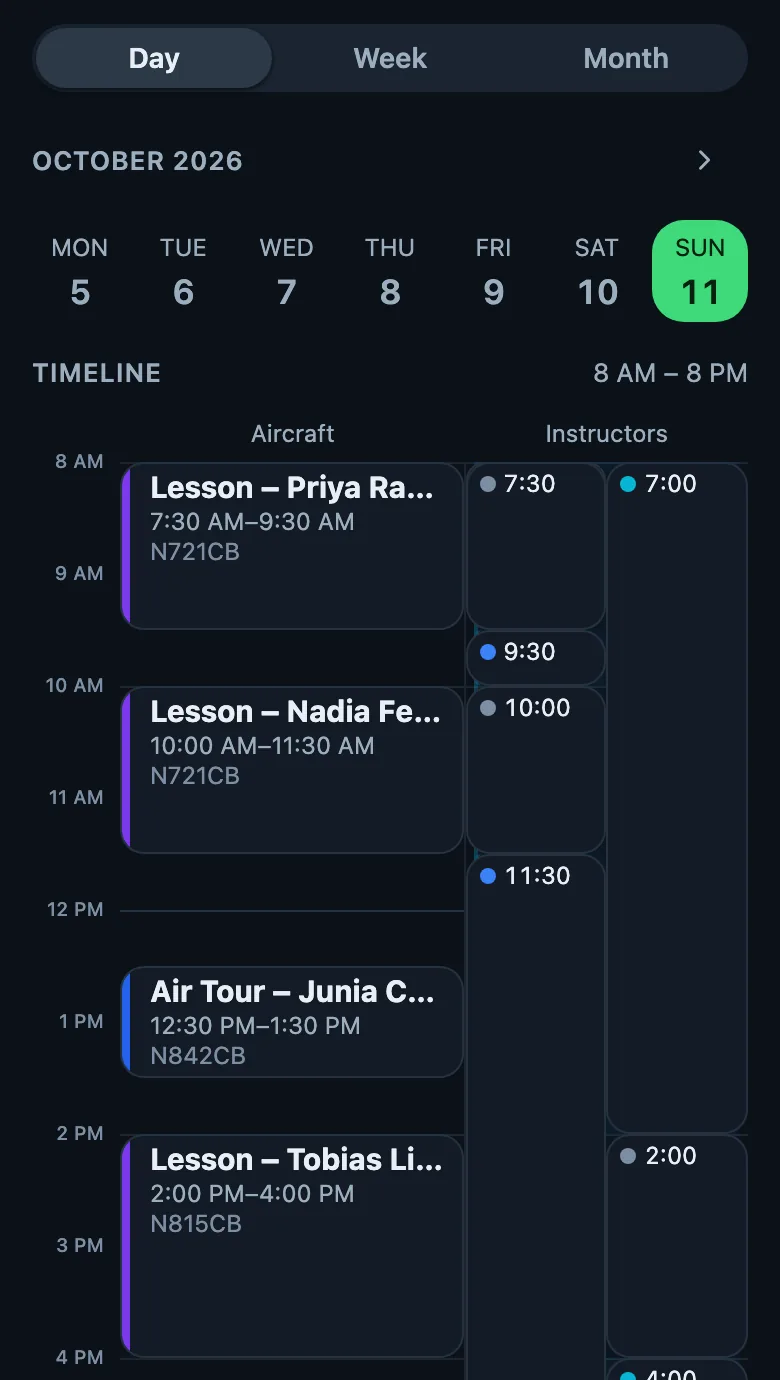
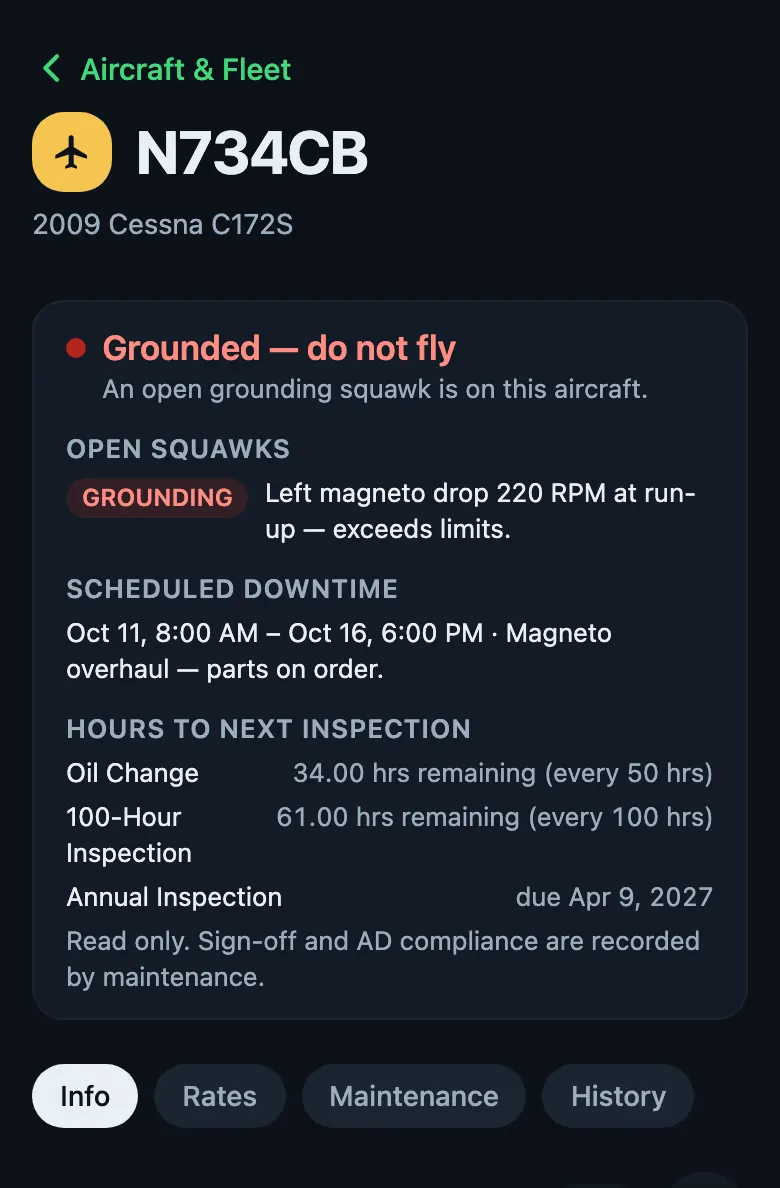
An aircraft that cannot fly does not get booked.
Squawks, ADs and 100-hour due dates sit beside the schedule. A grounding squawk, or an overdue annual, 100-hour or AD, refuses the booking, and staff cannot override it.
In the green arc
Airworthy, so it books.
The aircraft shows on the schedule, open to book.
In the yellow arc
Due dates in plain sight.
Hours to the next oil change and 100-hour, and the annual date, are counted on the aircraft page.
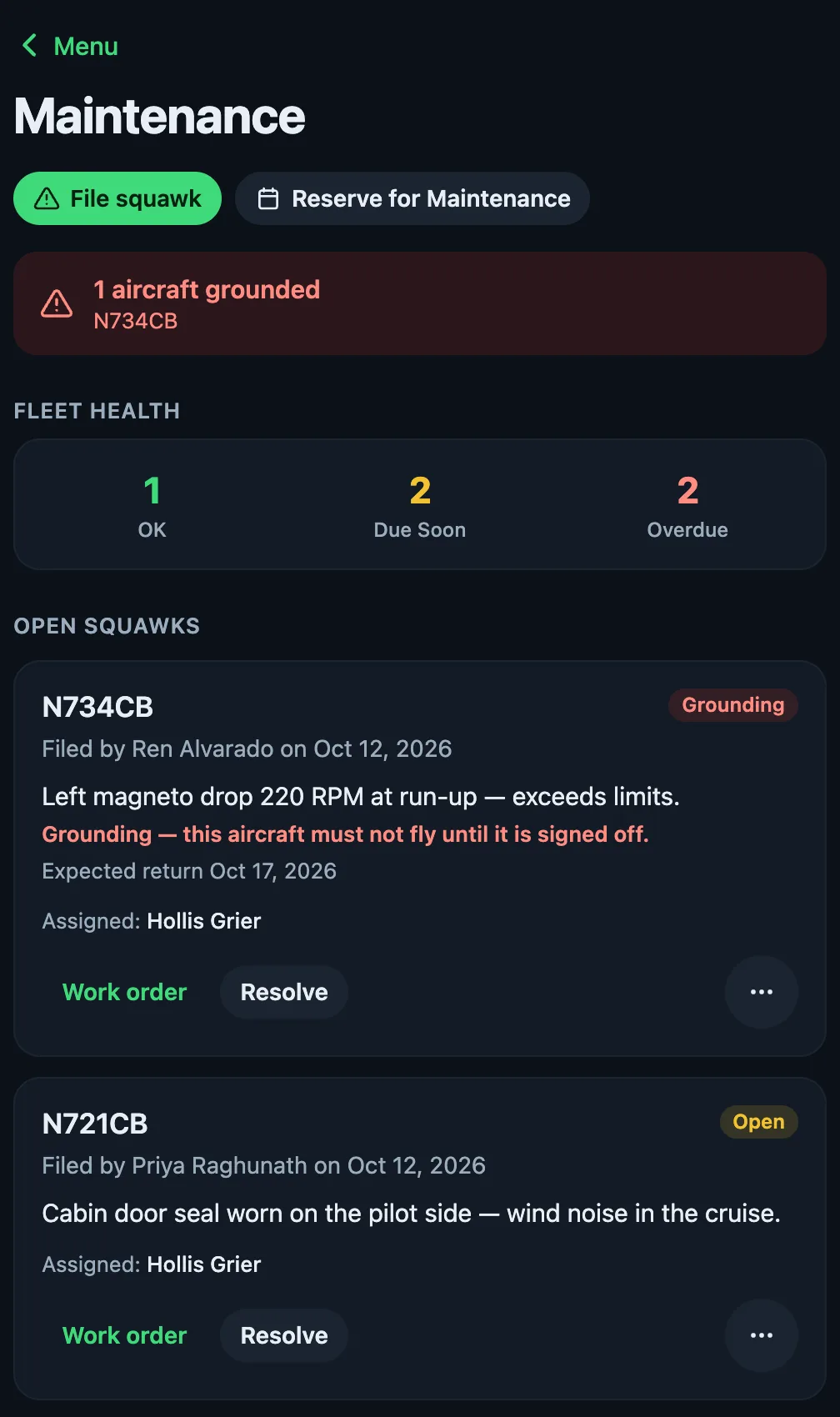
At the red line
Grounded, do not fly.
The aircraft page says why. Bookings for it are refused.
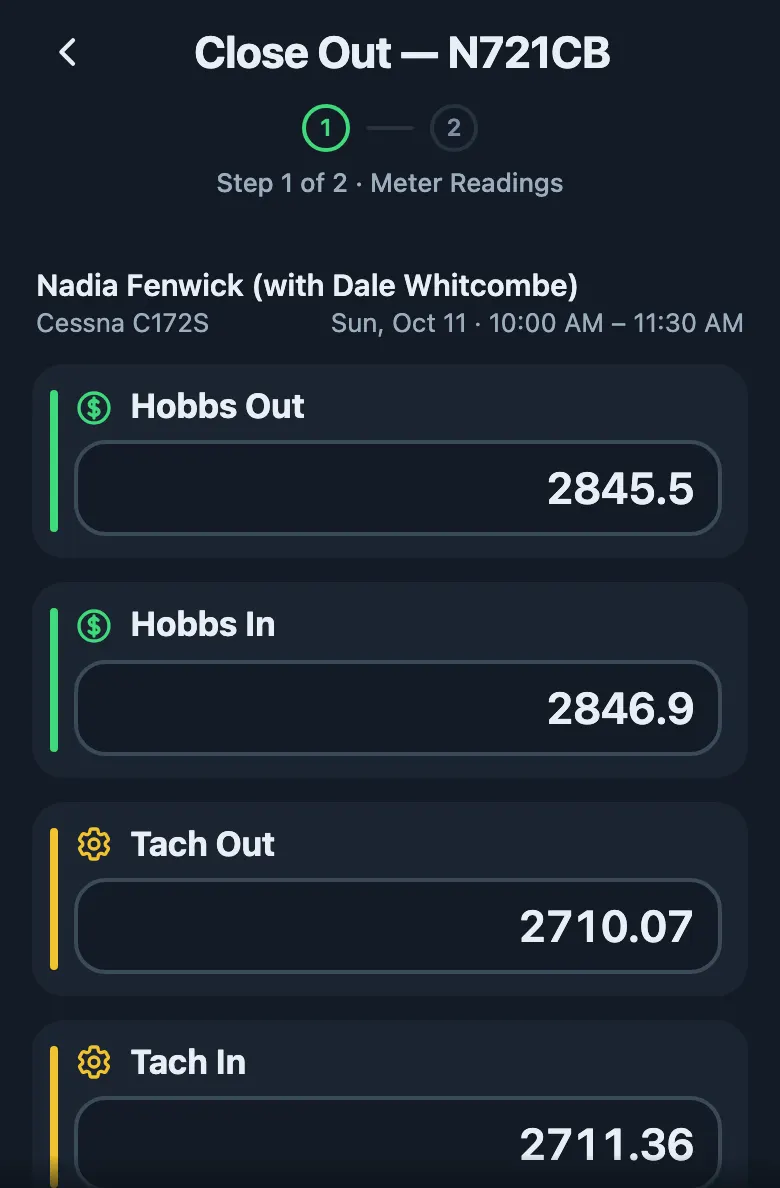
Hobbs out2845.5
Hobbs in2846.9
Tach2710.07 to 2711.36
Close out the flight. The account is up to date.
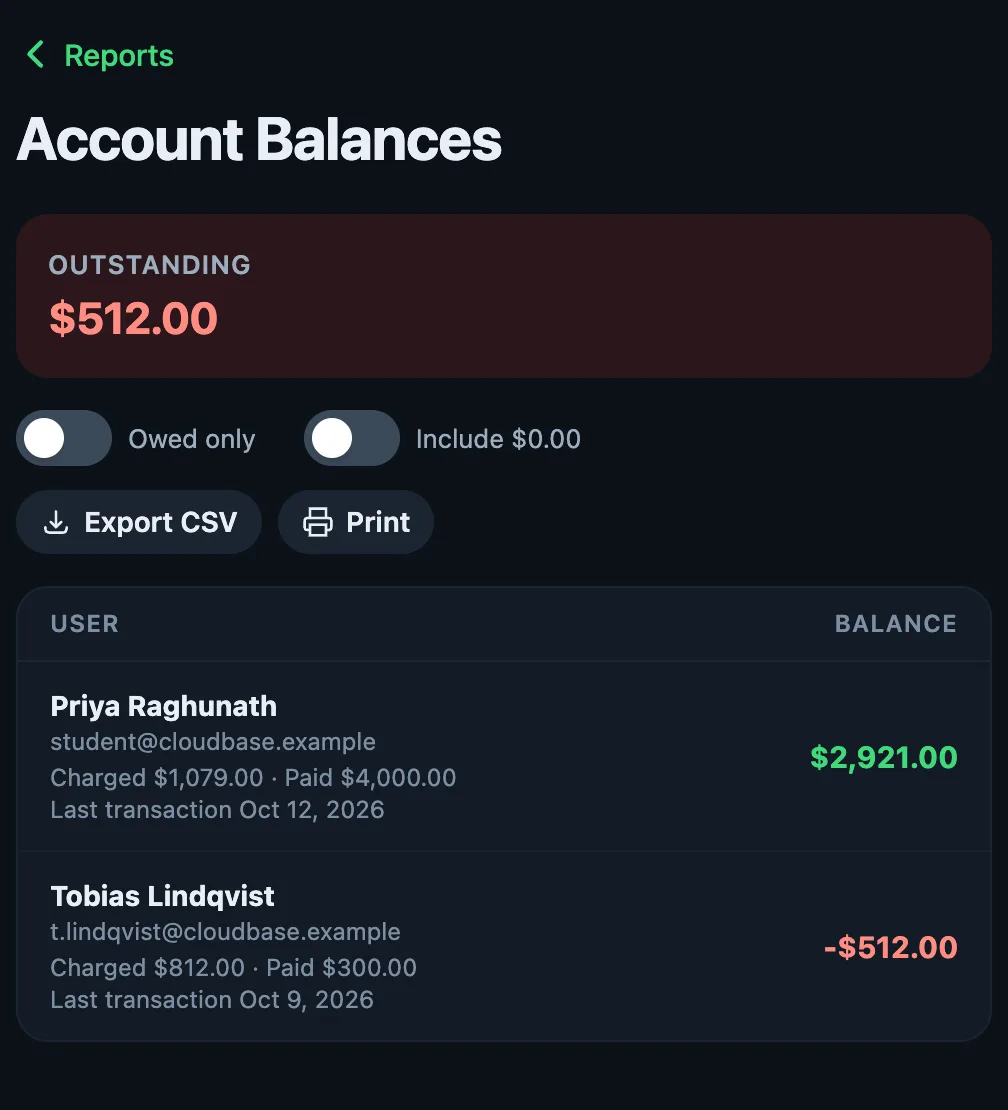
Hobbs and tach are captured at check-out and close-out. Instructor pay and member balances follow from the same record.
Members’ money is a ledger in Green Arc: balances, invoices and payments, with no processing fees.
Also included
Messaging
Message members and instructors in the app.
Push alerts
For bookings, squawks and expiries.
An iOS app with an offline schedule
Check-out and check-in readings queue until you are back online.
Flight and maintenance records
For every aircraft and pilot.
Switch on what you run.
Clubs, schools, independents and shops use the same four services. Everything follows what you pick.
Flight instruction (off)
Lessons, ground lessons and discovery flights. Students, instructors and endorsements.
Aircraft rental (on)
Renting aircraft to qualified pilots, solo and standard.
Air tours (off)
Sightseeing flights sold to the public, with packages and dispatch.
In-house maintenance (off)
Your own shop: labour, parts, condition reports, owner billing and customers' aircraft. Turn off if an outside shop does your maintenance: squawks, groundings, inspections, ADs and maintenance blocks keep working either way.
Members book and fly the club aircraft. Maintenance stays with your outside mechanic, who gets their own account for aircraft status and squawk and maintenance-due alerts.
Flight instruction (on)
Lessons, ground lessons and discovery flights. Students, instructors and endorsements.
Aircraft rental (on)
Renting aircraft to qualified pilots, solo and standard.
Air tours (off, often added)
Sightseeing flights sold to the public, with packages and dispatch.
In-house maintenance (off, often added)
Your own shop: labour, parts, condition reports, owner billing and customers' aircraft. Turn off if an outside shop does your maintenance: squawks, groundings, inspections, ADs and maintenance blocks keep working either way.
Lessons, rentals and the instructors behind them. Add air tours or your own shop when you run them.
Flight instruction (on)
Lessons, ground lessons and discovery flights. Students, instructors and endorsements.
Aircraft rental (off, often added)
Renting aircraft to qualified pilots, solo and standard.
Air tours (off)
Sightseeing flights sold to the public, with packages and dispatch.
In-house maintenance (off)
Your own shop: labour, parts, condition reports, owner billing and customers' aircraft. Turn off if an outside shop does your maintenance: squawks, groundings, inspections, ADs and maintenance blocks keep working either way.
A freelance CFI or a one-aircraft operator turns on instruction, rental, or both, and nothing else. Ground lessons need no aircraft at all.
Flight instruction (off)
Lessons, ground lessons and discovery flights. Students, instructors and endorsements.
Aircraft rental (off)
Renting aircraft to qualified pilots, solo and standard.
Air tours (off)
Sightseeing flights sold to the public, with packages and dispatch.
In-house maintenance (on)
Your own shop: labour, parts, condition reports, owner billing and customers' aircraft. Turn off if an outside shop does your maintenance: squawks, groundings, inspections, ADs and maintenance blocks keep working either way.
The shop on its own, for your customers’ aircraft. No lessons or rentals in the menus.
Setup asks what kind of operation you are and picks a starting point. Change any of it later in Settings. Turning a service off never hides your past records.
A base plan, a rate per aircraft, and only the modules you run.
Aircraft rental included. No setup fee. First 30 days free.
- Base
- $25 a monthScheduling, rental, every airworthiness gate, the member ledger, the iPhone app and your outside mechanic’s account.
- Per aircraft
- $11 a month each$10 for each aircraft above 15.
- Air tours
- +$15 a monthOnly while it’s on. Sightseeing flights sold to the public, with packages, dispatch and tour-pilot pay.
- In-house maintenance
- +$25 a monthOnly while it’s on. Your own shop: labour, parts, condition reports, owner billing and customer aircraft.
- Flight instruction
- IncludedStudents, instructors, endorsements, lessons, discovery flights and instructor pay. Switch it on only if you teach.
- Annual plan
- 2 months freePay annually: 10 months for 12. The monthly price is the same either way.
- Moving over is free
- FreeIf your current system can export your data as a spreadsheet (CSV), we import your members, aircraft, opening balances and upcoming bookings for you at no charge, and you log in to a finished school.
Worked example: A 3-aircraft fleet is $58 a month. Add Air tours and it is $73 a month, or $730 a year paid annually (2 months free).
The base includes
- Scheduling and flight records, aircraft rental included
- Every airworthiness gate: 100-hour, oil, annual, ADs, grounding squawks
- Flight instruction: students, instructors, endorsements and instructor pay
- Member ledger, invoicing and payment tracking
- iPhone app with offline, web app and push notifications
- Outside-mechanic accounts: aircraft status, squawk and due alerts
- Reports and the audit trail, unlimited users
30 days free. A card is taken at signup; the first charge is on day 31.
How it compares
Green Arc beside Flight Circle, Flight Schedule Pro, Aviatize and AerScheduler, 7 rows, every cell taken from each product’s own public site as of October 2026.
Where your records and money go.
Card details go to Stripe
Your subscription is paid through Stripe. Card details never reach our servers.
Members’ money is a ledger
Balances, invoices and payments between you and your members are records in Green Arc, with no processing fees.
Records stay
Turning a service off never hides your past records.
Questions.
Do I need a card to start?
Yes. A card is taken at signup. Nothing is charged for the first 30 days. Cancel before day 31 and you are not charged.
Can I change which services I run?
Yes. Switch services on and off in Settings at any time. Turning one off never hides past records.
How do I pay?
You set up billing in the app by card or bank account. Card details go to Stripe and never touch our servers.
Does it work on a phone?
Yes. Install the web app on any phone, tablet or computer, or use the native iOS app.
Start with 30 days.
A card is taken at signup. Nothing is charged until day 31.
Or look around the demo school first. Pick a role and you are in. It resets every night.